
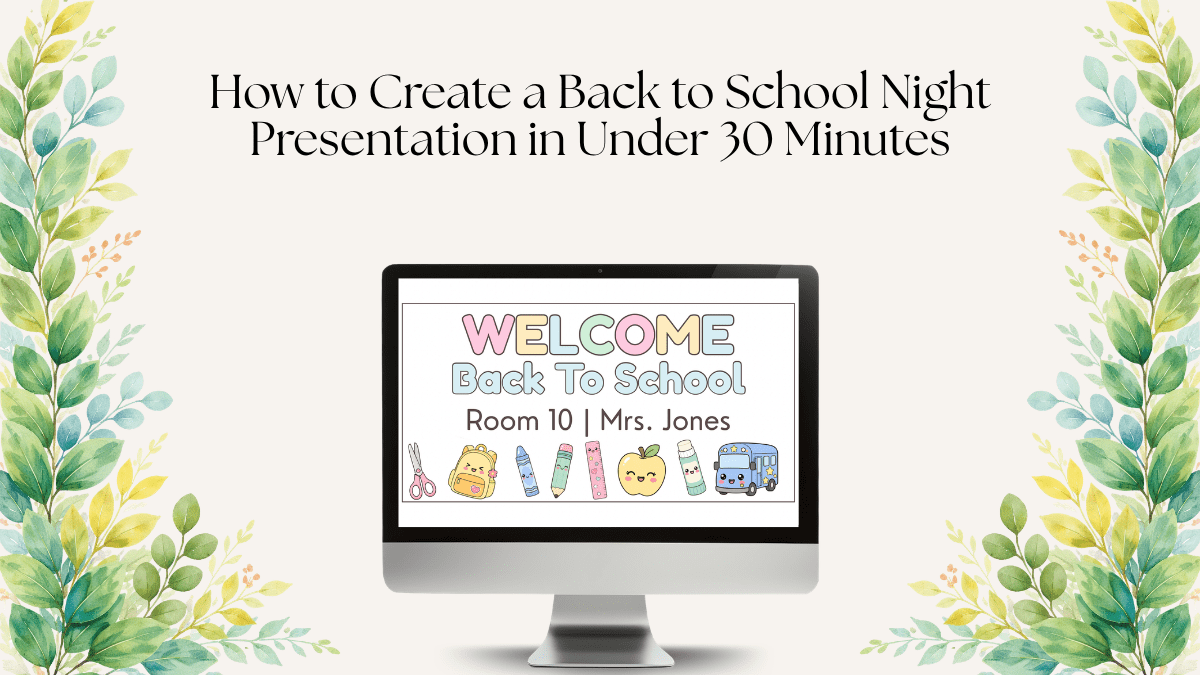
Wondering how to create a Back to School Night presentation without spending your entire weekend on it? The good news is that you don’t need hours of planning, advanced design skills, or a complicated slideshow. With the right structure, you can create a professional Back to School Night presentation in under 30 minutes and still give parents all the information they need.
Back to School Night is one of the most important events of the school year. It’s your opportunity to introduce yourself, explain classroom expectations, share important information, and build trust with families from day one. The challenge is that it often arrives during one of the busiest times of the year.
If you’re short on time, this guide will show you exactly how to create a Back to School Night presentation quickly and effectively.
Quick Answer: How to Create a Back to School Night Presentation
If you’re pressed for time, follow these five simple steps:
- Decide what information parents need most.
- Choose a presentation template.
- Personalize the most important slides.
- Check readability and design consistency.
- Do one quick practice run.
Most teachers can complete the entire process in less than 30 minutes when using a purpose-built Back to School Night presentation template.
Why Your Back to School Night Presentation Matters
Your presentation does more than share information. It helps families understand who you are as a teacher and what they can expect during the school year.
A well-organized presentation can:
- Build trust with parents
- Reduce confusion about classroom procedures
- Answer common questions before they are asked
- Create a positive first impression
- Improve parent-teacher communication throughout the year
Many schools refer to this event as Curriculum Night, Open House, or Meet the Teacher Night, but the goal is always the same: helping families feel informed and confident about the year ahead.
Step 1: Decide What Information Parents Need Most
Before opening Canva, PowerPoint, or Google Slides, spend a few minutes outlining your essential topics.
Ask yourself:
What information do parents absolutely need to know to feel prepared for the school year?
Most Back to School Night presentations should include:
- Welcome slide
- Meet the Teacher
- Classroom philosophy
- Daily schedule
- Classroom rules
- Behavior expectations
- Homework policy
- Grading policy
- Curriculum overview
- Communication methods
- Family involvement opportunities
- Frequently asked questions
This usually results in 15–20 slides, which is more than enough for a 20–30 minute presentation.
Step 2: Choose a Back to School Night Presentation Template
There are three common approaches:
Start From Scratch
This gives you complete control, but it’s also the most time-consuming option.
Use a Generic Presentation Template
This is faster, but you’ll often spend extra time adjusting layouts, colors, and slide organization.
Use a Purpose-Built Back to School Night Template
This is the fastest option. The slides are already organized, designed, and structured specifically for teachers.
If your goal is to save time while still looking professional, a classroom presentation template is usually the best choice.
Why Templates Save Teachers Time
A good template eliminates the hardest part of presentation design:
- Choosing layouts
- Selecting fonts
- Creating consistent colors
- Organizing information
- Deciding slide order
Instead of designing, you can focus entirely on your content.
Step 3: Personalize the Most Important Slides
Not every slide requires extensive customization. Focus your time on the slides that parents care about most.
Meet the Teacher
Share:
- Your name
- Teaching experience
- Educational background
- A few personal interests
Keep it brief. Two or three short paragraphs are enough.
Daily Schedule
Parents love seeing what a typical school day looks like.
Include:
- Subject blocks
- Specials
- Lunch
- Recess
- Intervention time
Homework Policy
Be specific about expectations.
For example:
“Students should read for 20 minutes each evening and complete any unfinished classwork.”
Specific information helps families feel prepared.
Communication
Clearly explain:
- Your preferred communication method
- Office hours or response times
- Apps or platforms you use
Examples include:
- ClassDojo
- Remind
- Seesaw
Frequently Asked Questions
Think about the questions parents ask every year.
Common examples include:
- How much homework will there be?
- What happens if my child is absent?
- How can I volunteer?
- What if my child struggles academically?
Answering these questions in advance can significantly reduce Q&A time.
Step 4: Make Your Presentation Easy to Read
Remember that parents will likely view your presentation on a projector screen from across the room.
Before finishing, check:
- Body text is at least 24pt
- Headings are at least 36pt
- Text contrasts clearly with the background
- Fonts are consistent throughout
- Colors are consistent throughout
- Each slide focuses on one topic
Simple and readable always beats crowded and complicated.
Step 5: Practice Before Parents Arrive
You don’t need to memorize a script.
Simply click through the presentation once and verify:
- All information is accurate
- Slide order makes sense
- No obvious spelling mistakes exist
- Times and dates are correct
- Contact information is current
A five-minute review can prevent embarrassing mistakes later.
Common Back to School Night Presentation Mistakes
Too Much Text
Parents shouldn’t need to read paragraphs during your presentation.
Use short bullet points and explain the details verbally.
Reading Every Slide Word-for-Word
Your slides should support your presentation, not replace it.
Use slides as prompts rather than a script.
Skipping Communication Information
Parents want to know how and when they can reach you.
Always include clear communication expectations.
Forgetting a Questions Slide
A dedicated questions slide creates a natural opportunity for discussion and helps signal the end of the presentation.
Back to School Night Presentation Checklist
Before presentation day, make sure you’ve included:
☐ Welcome Slide
☐ Meet the Teacher
☐ Classroom Overview
☐ Daily Schedule
☐ Classroom Rules
☐ Behavior Expectations
☐ Homework Policy
☐ Attendance Information
☐ Grading Policy
☐ Curriculum Overview
☐ Communication Information
☐ Parent Involvement Opportunities
☐ Frequently Asked Questions
☐ Questions Slide
☐ Thank You Slide
Save Even More Time With a Ready-Made Template
The easiest way to create a Back to School Night presentation quickly is to start with a template built specifically for teachers.
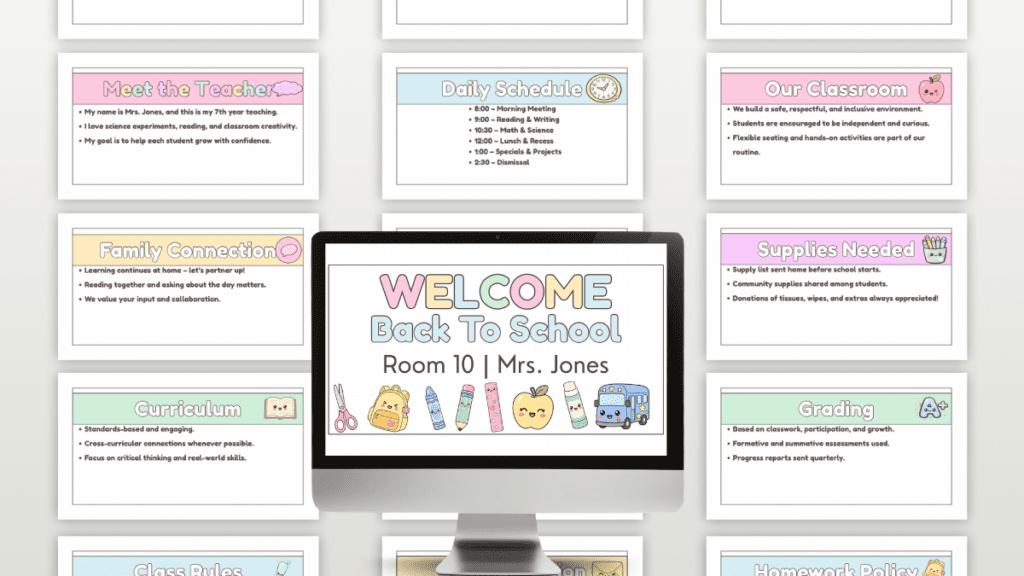
My Back to School Night Presentation Template includes 23 fully editable Canva slides covering:
- Welcome
- Meet the Teacher
- Our Classroom
- Daily Schedule
- Class Rules
- Class Behavior
- Homework Policy
- Attendance
- Grading
- Curriculum
- Reading & Writing
- Math & Science
- Specials
- Technology Use
- Communication
- Family Connection
- Parent Support
- Conferences
- FAQs
- Supplies Needed
- Celebrations
- Class Events
- Thank You
Simply open the template in Canva, customize the information, and your presentation is ready.
Frequently Asked Questions
How many slides should a Back to School Night presentation have?
Most presentations work best with 15–25 slides. This provides enough information without overwhelming families.
How long should a Back to School Night presentation be?
Most teachers aim for 20–30 minutes, leaving time for questions afterward.
Should students attend Back to School Night?
This depends on your school’s format. Many schools host parent-only events, while others welcome students.
What should teachers include in a Meet the Teacher slide?
Include your name, teaching experience, educational background, and a few personal details that help families connect with you.
Final Thoughts
If you’ve been wondering how to create a Back to School Night presentation quickly, the key is having a clear structure and the right template. With just 30 minutes of focused work, you can create a presentation that informs families, answers common questions, and helps start the school year with confidence.
Your families will feel informed. Your classroom will feel welcoming. And you’ll have one less thing on your back-to-school checklist.
👉 Back to School Night Presentation Template — Get It Here
Looking for more classroom resources? Browse the TuideriCreative shop for printable educational activities, classroom resources, unit studies, and teacher templates designed for PreK through Grade 3.
Read more about Back to School Night in previous posts:
Difference Between Back to School Night and Open House
25 Common Back to School Night Questions Parents Ask (And How to Easily Answer Them)
What to Include in a successful Back to School Night Presentation: 23 Essential Slides for Teachers
Leave a Reply
You must be logged in to post a comment.